
Linking your account is the most important step you can take to protect your CLUB progress and any In-App Purchases.
If your account isn’t linked and you:
Restore your phone
Switch to a new device
Reinstall the app
you may permanently lose access to your Club, progress, and purchases.
✅ Why linking your account matters
When your account is linked:
Your Club progress is securely saved
In-App Purchases are protected
You can recover your account if something goes wrong
You can play on multiple devices using the same login
Unlinked accounts are stored only on the device, which means they can be lost.
🔗 How to link your account
Before changing devices or reinstalling the app, make sure your Club is linked.
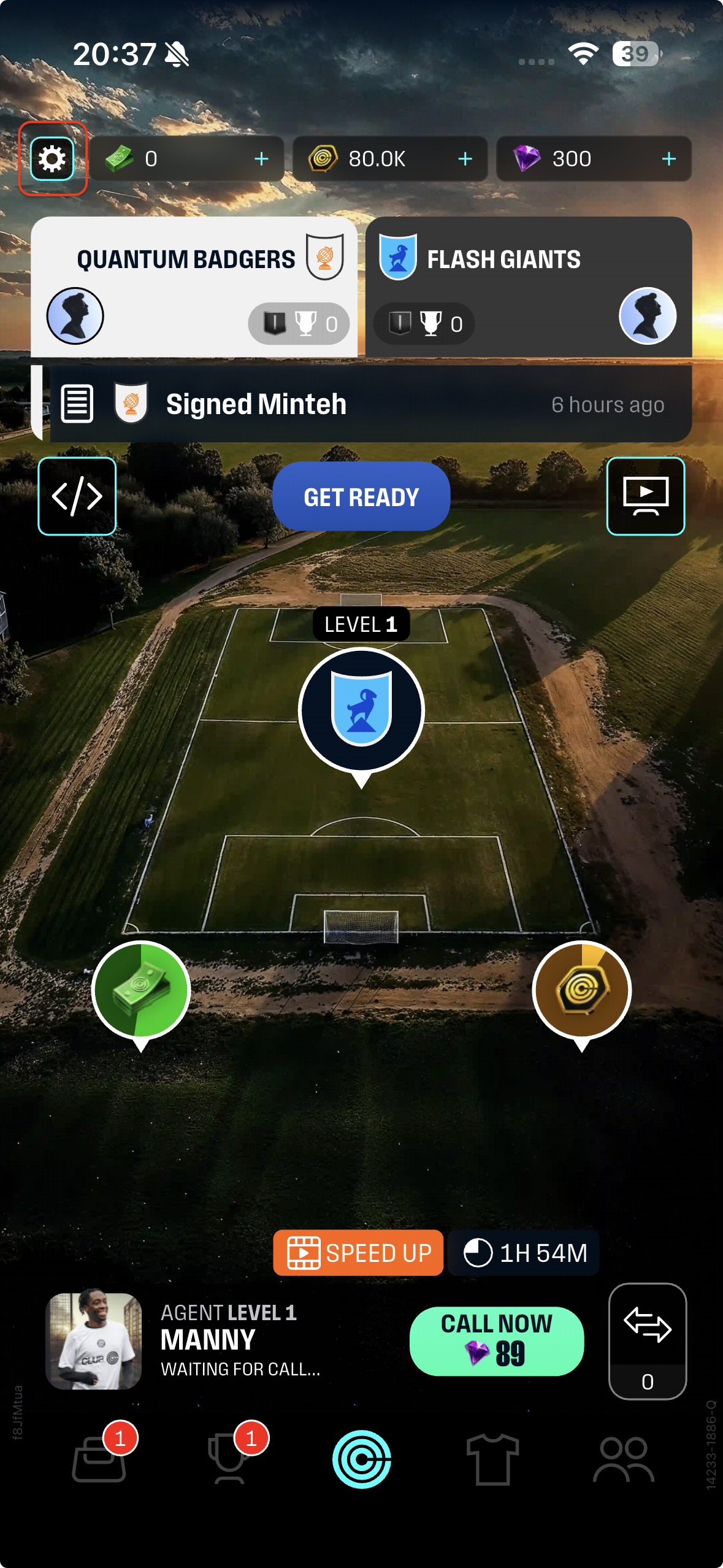
From the Home screen, tap the Settings icon (top left)
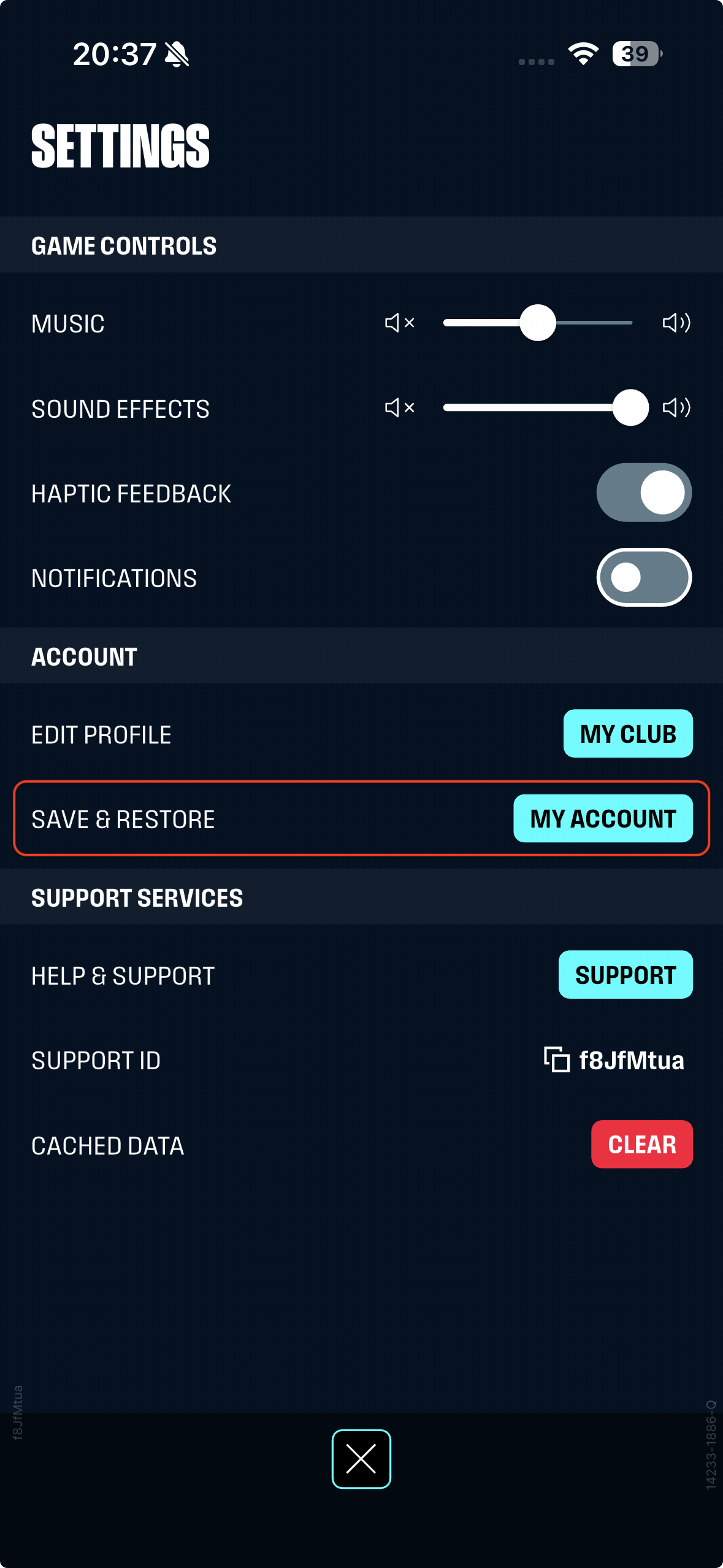
Select My Account
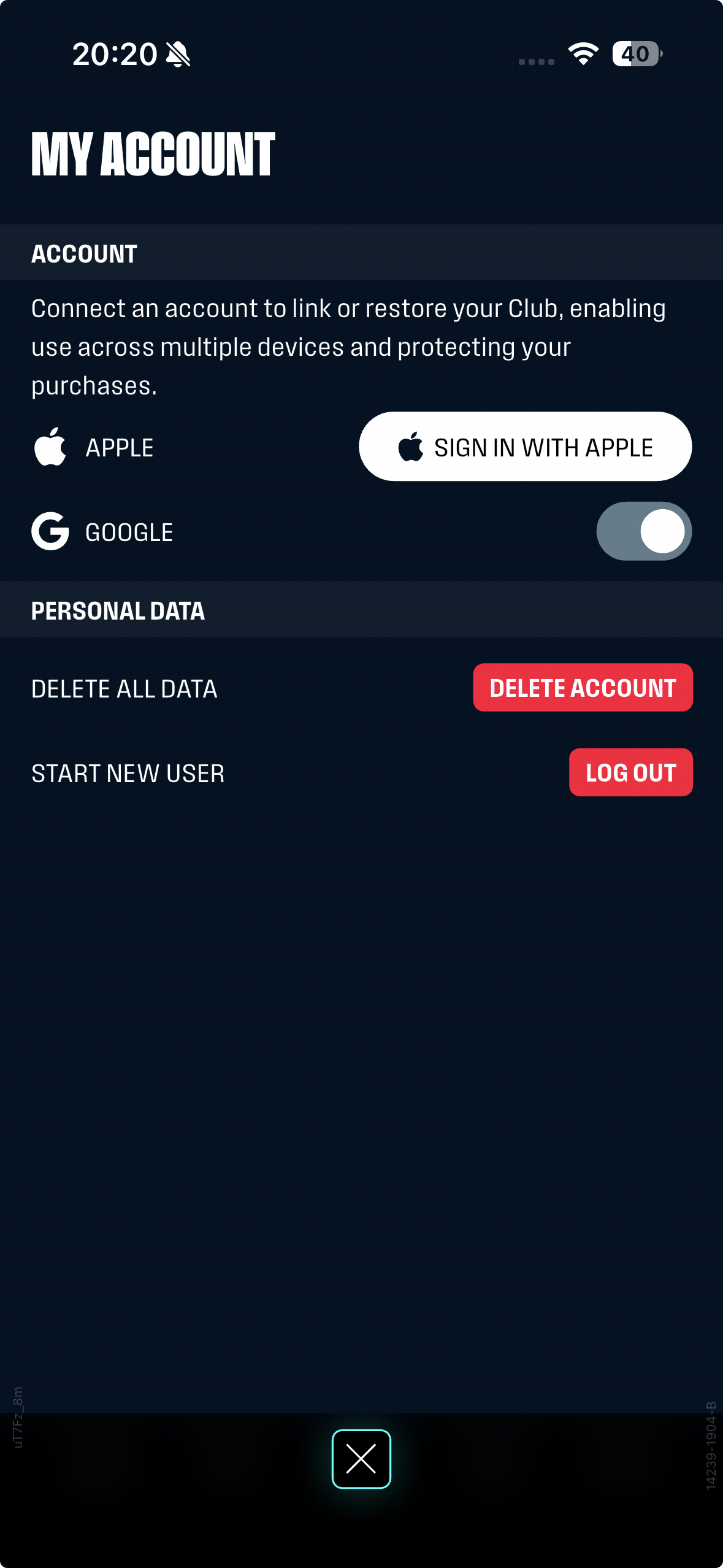
Link your account by choosing:
Sign in with Apple (iOS)
Enable Google (Android)
Once linked, your Club is safely backed up.
⚠️ Important platform notes
Accounts linked with Apple ID can only be used on iOS devices
Accounts linked with Google can only be used on Android and iOS devices
Apple-linked accounts cannot be transferred to Android (we hope to implement this functionality at some point in the future)
❓Already lost access to your account?
If you’ve changed devices, reinstalled the app, or can’t access your original Club:
👉 Please contact Customer Support as soon as possible
Our team may be able to help recover your account, especially if you can provide:
Your Support ID
Your Club name
Any purchase receipts (if available)
- And you can answer specific questions about your account
The sooner you reach out, the better the chances we can help.