
⚠️ Before You Delete Your Account
Deleting your account will permanently remove everything linked to it, including:
- Your game progress
- Any in-game purchases
- Wallet balances and inventory
- Account history and settings
Once your account is deleted, this information can't be recovered.
After you submit a deletion request, there is a 14-day grace period. During this time, you can contact Customer Support if you change your mind and want your account restored. You will need to provide your Support ID and Club Name, so ensure you keep a record of them.
After 14 days, the account and all associated data will be permanently removed.
How to Delete Your Account
You can request account deletion directly from within the game by following the steps below.
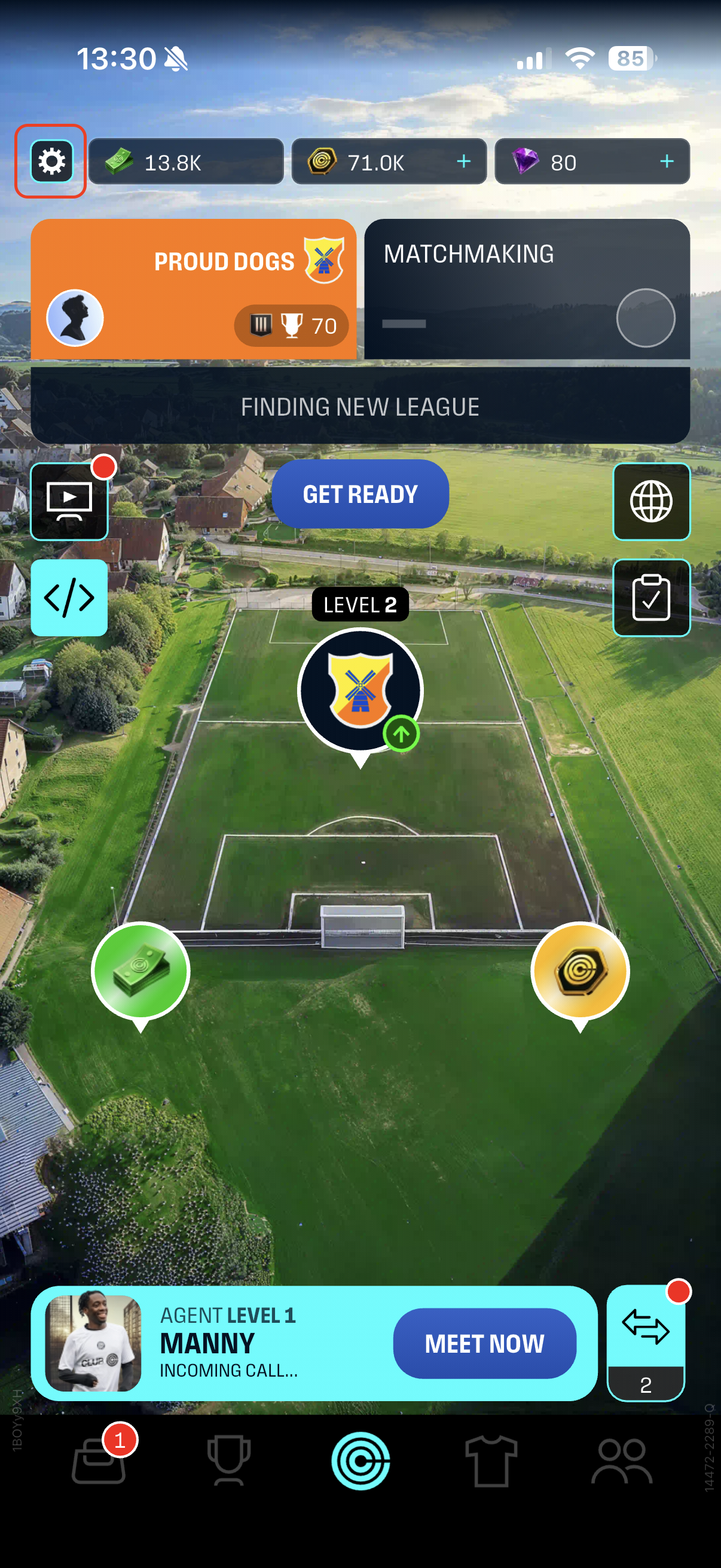
Step 1
- From the Home screen, select the Settings icon (top left)
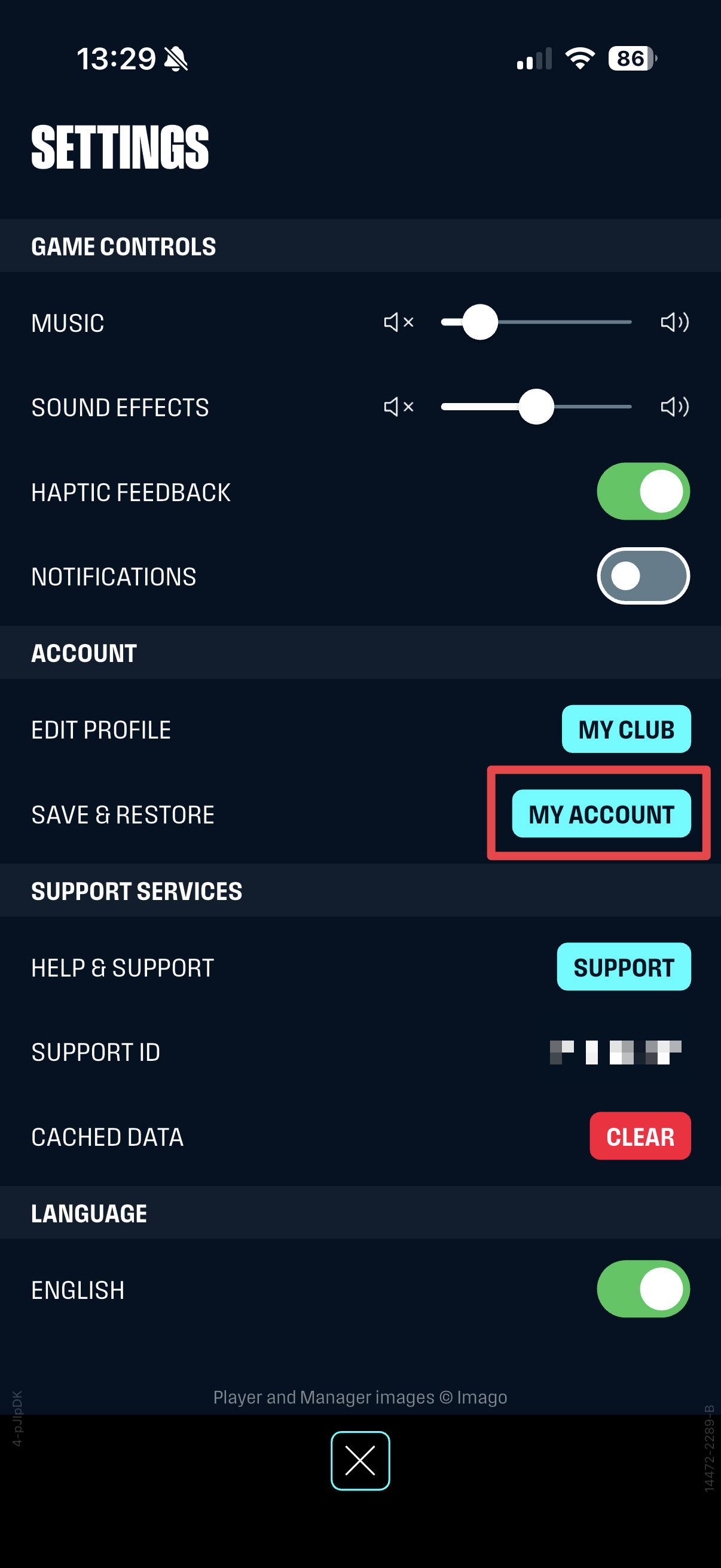
Step 2
- From the Settings screen, select the My Account.
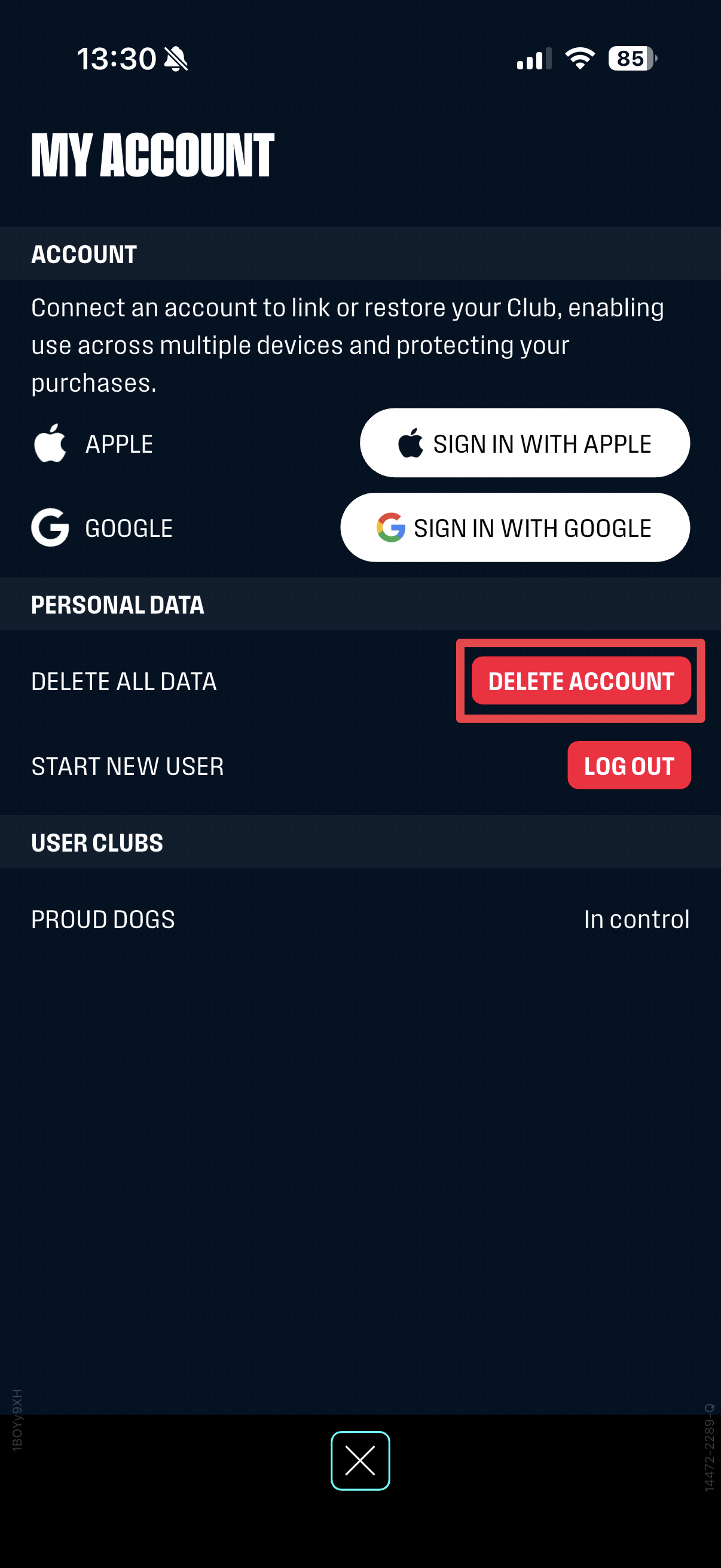
Step 3
- From the My Account screen, select Delete Account.
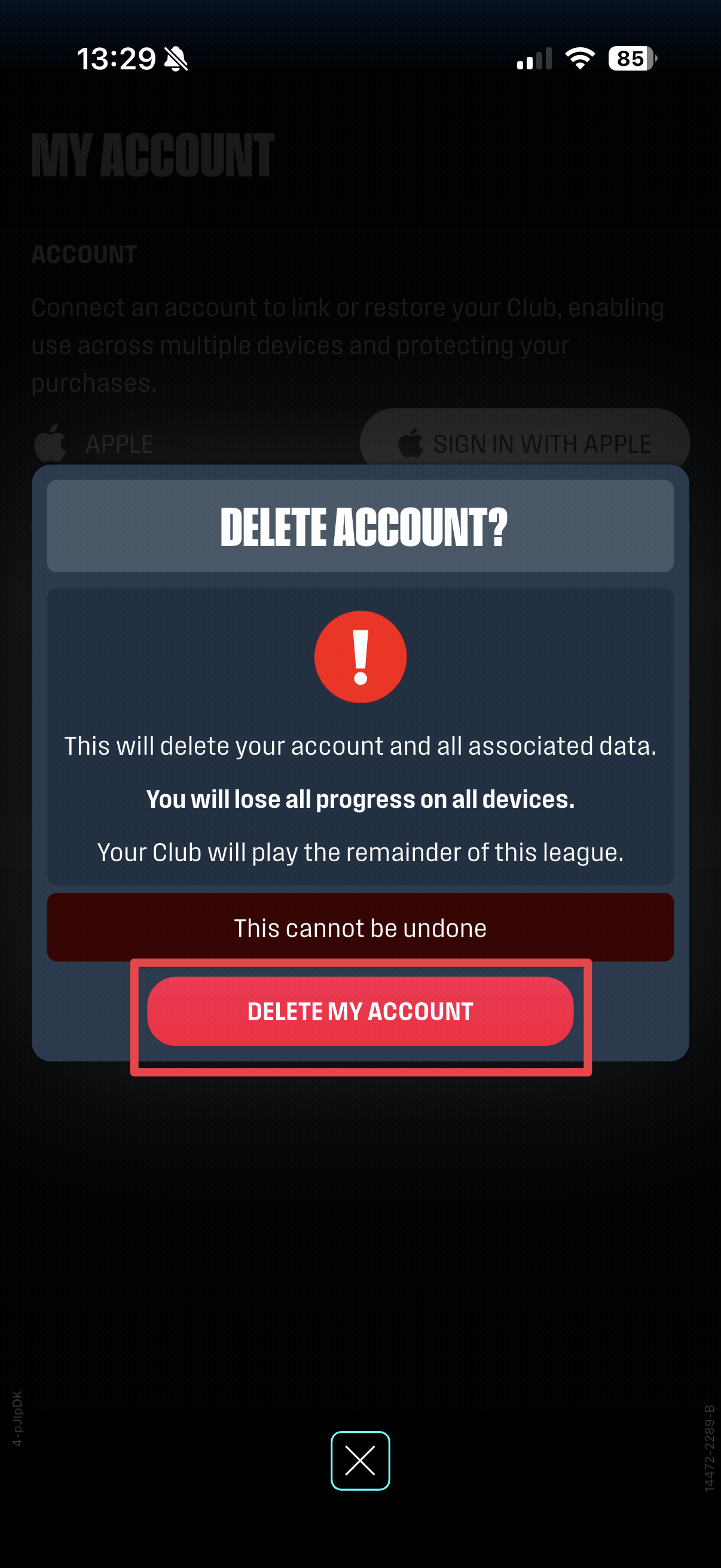
Step 4
- From the Delete Account pop-up, select Delete My Account.
Step 6
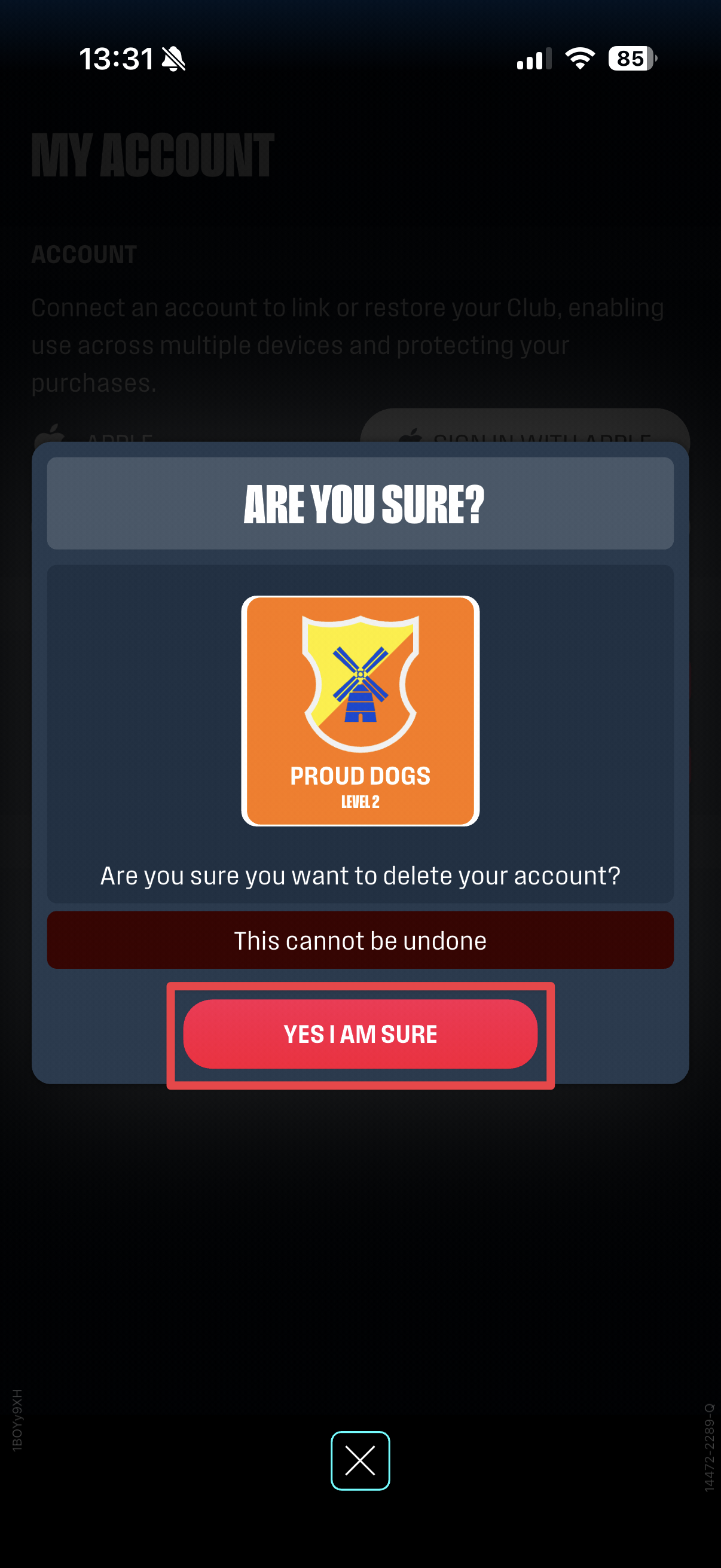
- From the Delete Account confirmation pop-up, select Yes I am sure.
Please note: Deleting your account will permanently erase all progress, including any in-app purchases and wallet items. This action can't be undone.
What happens next?
- You'll be returned to the game start screen
- You can create a new account if you wish
If you need help or change your mind within the 14-day grace period, please contact us through the Support Chat. Our support team may ask you to confirm your Support ID and Club Name.