
Your Support ID (sometimes called your 'User ID' or 'Club ID') is displayed in the Settings screen:
- Tap on the Settings icon (cog wheel) in the top left corner of the game to open Settings.
- Your Support ID is displayed as a long string of numbers and letters. Tap on it to copy to your clipboard.
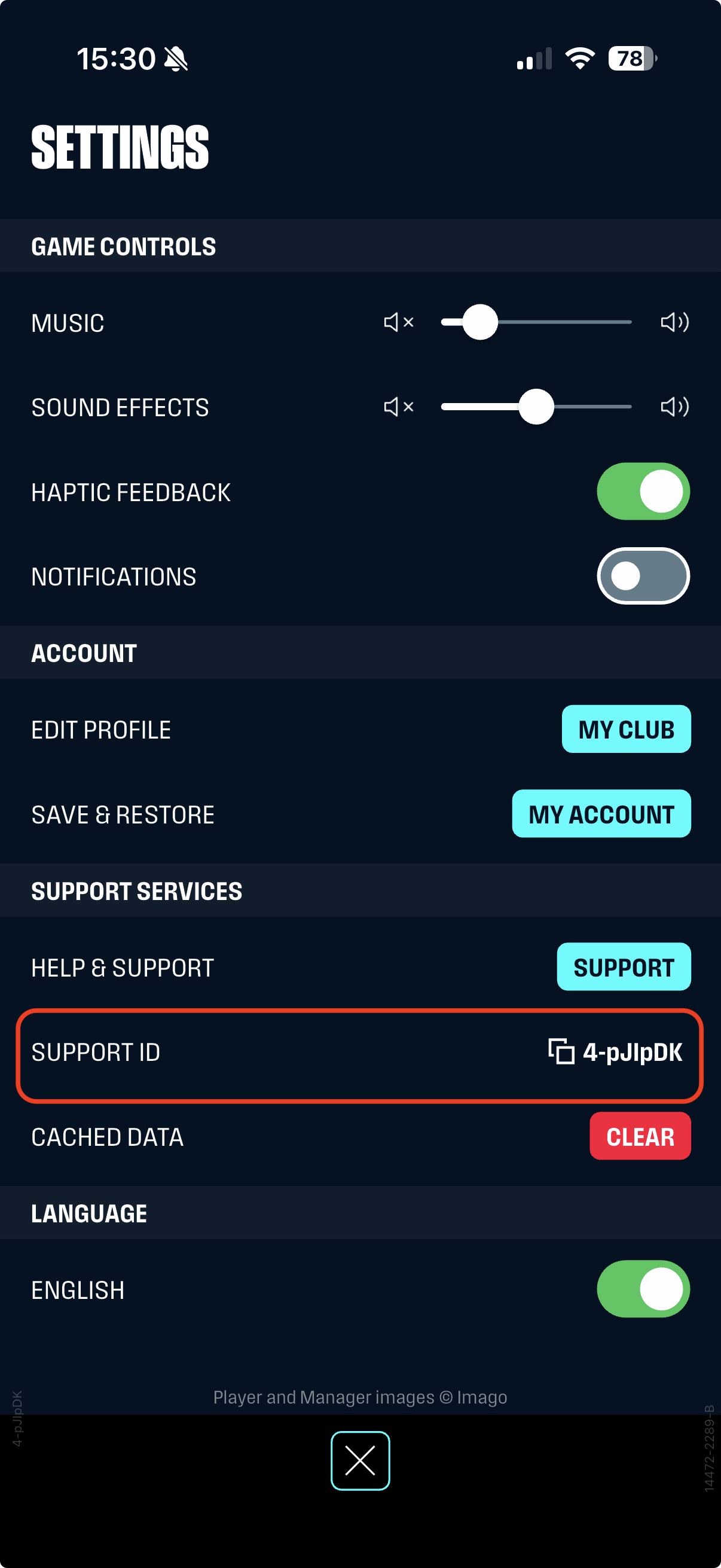
You may be asked to give this ID if you contact us outside of the game, so that we can find your account.